Case Study · WS Audiology · 2025
Consent System & GDPR
Sole Designer · iOS & Android · GDPR & EAA · Shipped to production
A GDPR and EAA privacy and consent system shipped across WS Audiology’s apps. I mapped the dependencies and influenced the scope, cutting consent prompts from as many as seven to four. Two screen-reader bugs surfaced in QA and were fixed before release.
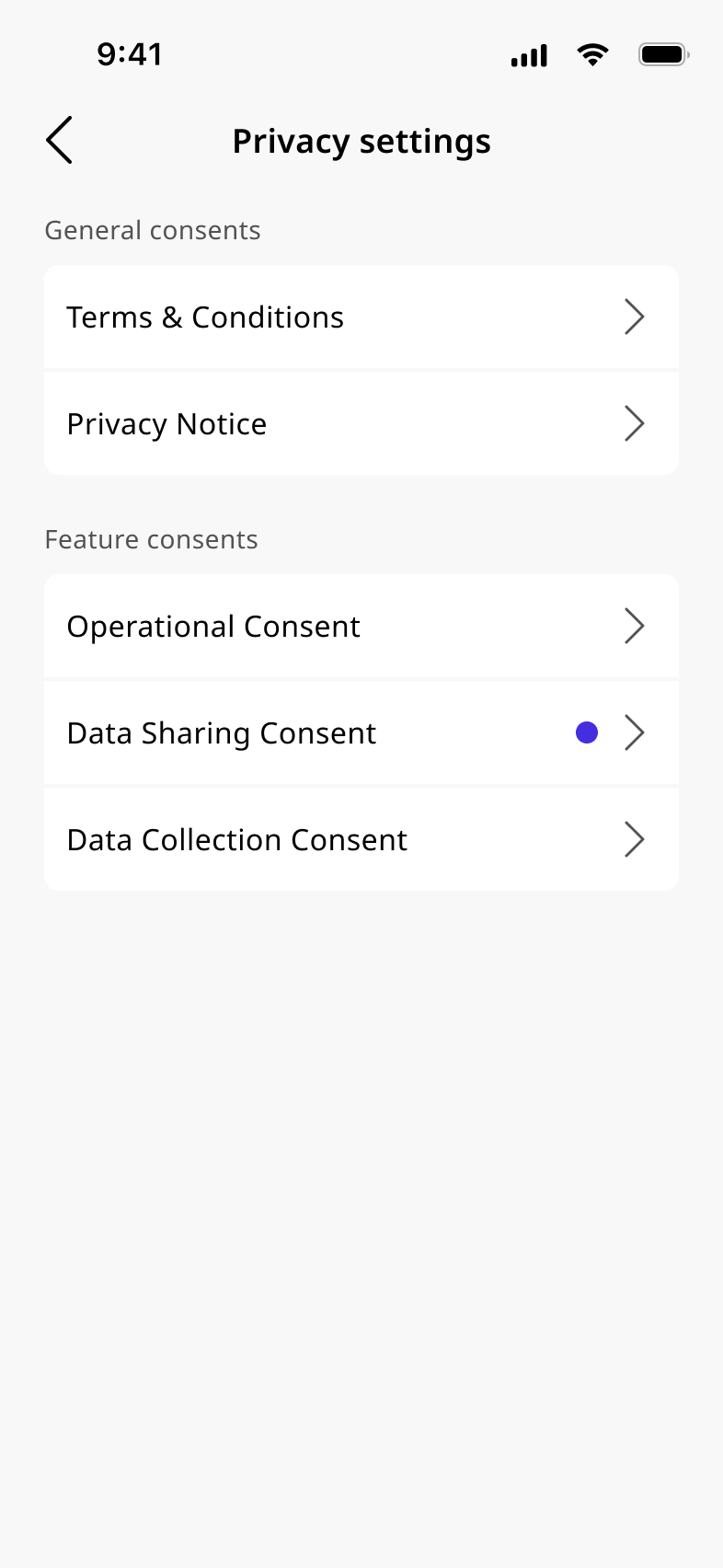
A global hearing care app needed a compliant, accessible consent architecture from scratch: four consent types, dependency logic, moving legal requirements, RTL support, and a European Accessibility Act mandate.
WS Audiology ships hearing-care apps in over 125 markets. Legal requirements vary by country, and consent decides which features run, where, and on which device. The system had to manage that without exposing the complexity to the user.
Constraints shaped the design
The app ships as a companion to a certified hearing aid. That classification brings mandatory consent requirements that vary by market, legal framework, and data use case. GDPR applies across European markets. Medical device regulations layer on top. Some countries allow patient data to be used for audiological research; others prohibit it.
The country of fitting decides which market applies, fetched automatically from the device. If the fetch fails, the user selects manually. That choice is permanent and can’t be changed, because the country determines which consents apply. A legal requirement, not a UX one.
Four consent types resulted from this, each with different skip behaviour, dependency rules, and market applicability. Operational Consent gates Data Sharing: decline one and the other locks, because those cloud features become unavailable. Data Collection only appears where local regulations permit research data use.
The design work started by mapping those relationships and sorting constraints: fixed by legal, variable by market, or open to shape.
Sole designer
Owned the full design scope across all rounds, working with PM, legal, and engineering from requirements through post-launch QA.
- Consent dependency map
- Screen design (iOS and Android)
- RTL and multilanguage layout
- Accessibility specs (VoiceOver and TalkBack)
- Engineering handoff
- Post-implementation QA
- PM and legal (consent scope and requirements)
- Engineering (build, QA, and accessibility fixes)
Moving requirements and dependency complexity
Consent count reduction
My arguments to reduce the consent count were:
- Each additional consent screen is friction at first setup, the highest drop-off risk moment.
- Skippable consents reduce drop-off at setup without compromising compliance.
- Contextual re-prompting preserves full legal compliance while deferring optional consents to relevant moments.
The consent count grew at multiple points in the project. Pushing back required an argument about user behaviour and legal strategy. The final 4 types reflect what I argued for, not the initial scope.
Four consent types
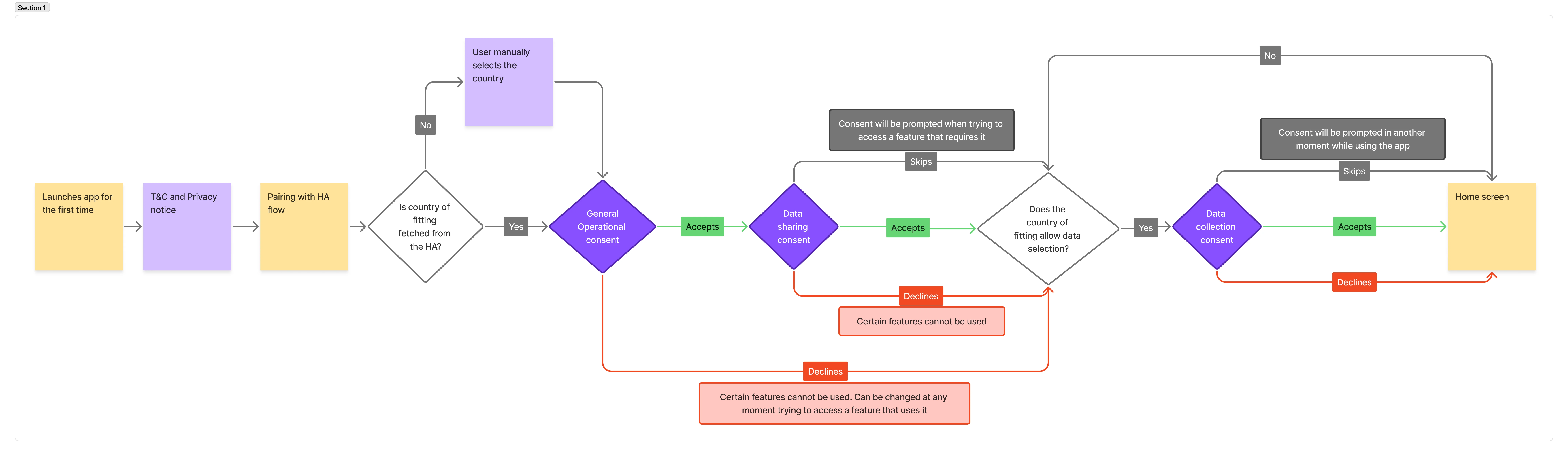
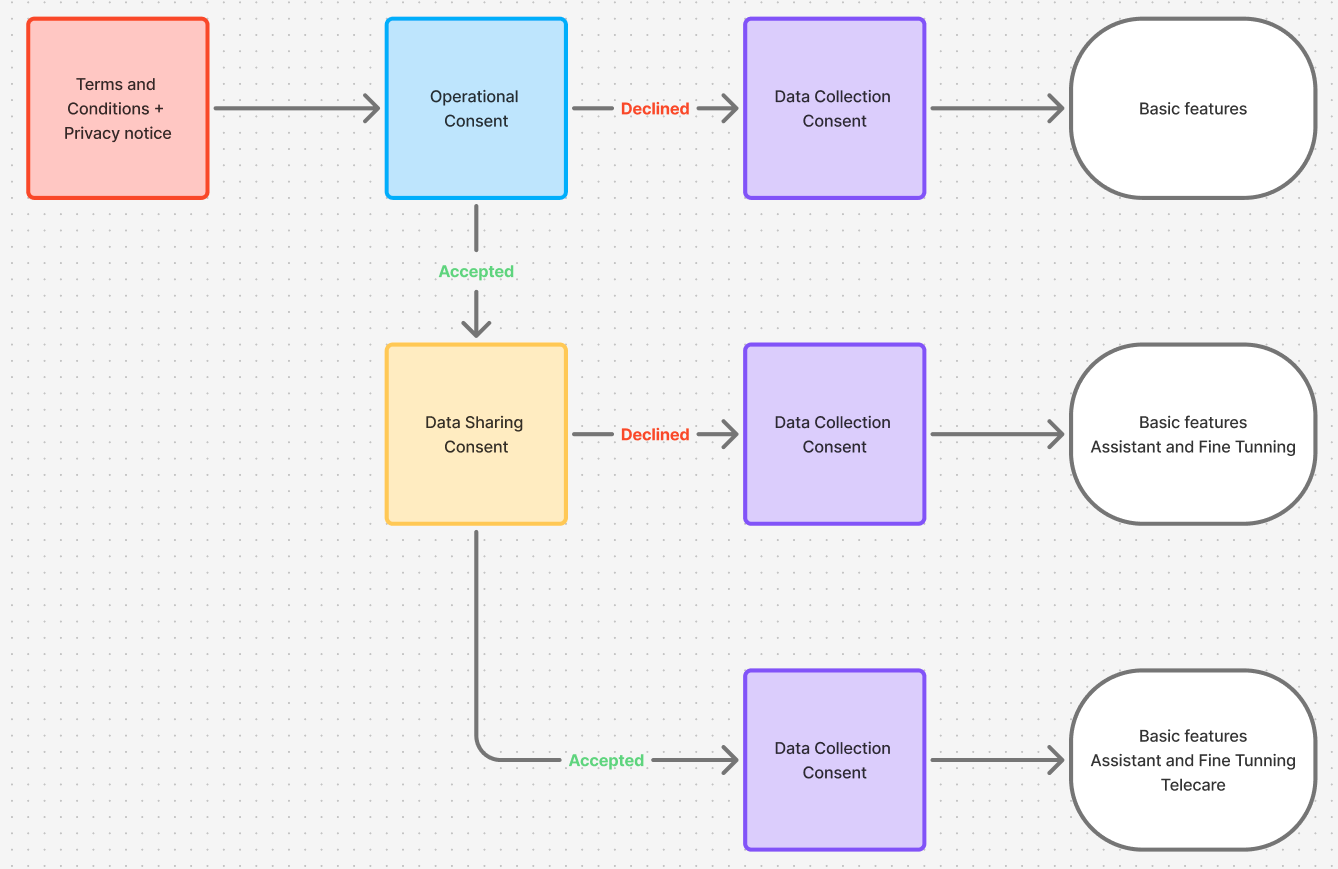
Before designing any screens, I mapped the four consent types and the relationships between them. The sequence is fixed: T&C and Privacy Notice first, then Operational, then Data Sharing and Data Collection. The dependency between Operational and Data Sharing drove the key design decision. Decline Operational and Data Sharing locks, because its cloud features go unavailable.
Data Collection is country-conditional. It appears only where the country of fitting allows research data use. France, for instance, shows it. Other markets don’t.
Declining Operational consent
Declining Operational consent triggers a confirmation dialog listing which features will stop working. The choice can be changed at any time in the Privacy tab.
Edge cases
The initial spec assumed a first-run, online user with a paired hearing aid. For a global app with an older user base, that’s a narrow slice. I designed these as first-class flows.
Skip for now
Data Sharing and Data Collection can both be skipped at setup. The app works without them, so blocking setup would add drop-off.
- User taps "Skip for now." Data Sharing or Data Collection is deferred. The user continues to the home screen. No progress bar. They’re out of the setup flow.
- Feature access triggers re-prompt: When the user tries to access a feature that requires the consent, it re-appears as a bottom sheet. Skip is still available.
- Forcing all consent decisions at setup is the default pattern and the top drop-off source. Contextual re-prompting keeps the app compliant while surfacing consents when relevant, which legal signed off on.
Country not fetched from hearing aid
The user selects their country manually from a list. A warning makes clear the choice is permanent and can’t be changed. The country determines which consents apply, a legal constraint.
Offline state
T&C loads from cache and can always be shown. Further consents need a connection. A banner explains why the user is blocked, with an option to return to privacy settings later.
Privacy tab
Consent doesn’t end at setup. Users can review and change their consent preferences at any time through the Privacy tab in the app. I designed three key states for this view.
When Operational consent is accepted, all toggles are active and features are fully available. When Operational is declined, Data Sharing appears visually locked with an inline explanation (not hidden), so the user understands why it’s unavailable and has a direct path to resolve it ("Go to Operational Consent"). A third state handles consents that were skipped: the toggle shows a pending state, and tapping it triggers the contextual re-prompt.
The reversibility rules are asymmetric: all optional consents can be changed at any time. T&C and Privacy Notice acceptance can’t be revoked, by legal requirement, and the UI makes that distinction visible.
Two consent flows
First-setup walks a new user through all four consent screens in sequence, from T&C through Data Collection. Reinstall differs: the app detects a server-side consent record and shows a review screen, so returning users don’t re-accept everything.
RTL and language switching support
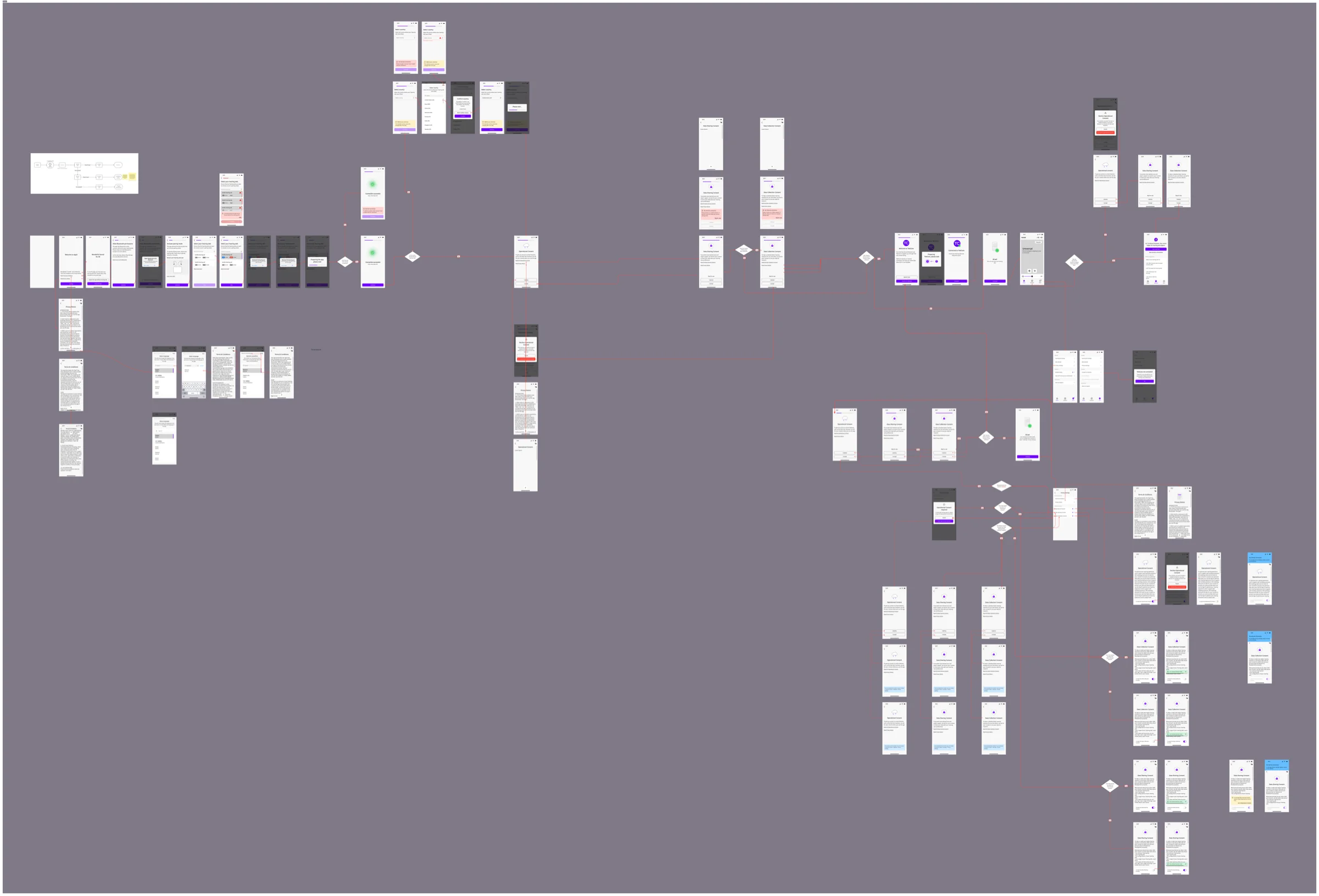
I built RTL support into the original handoff. Every consent screen got a mirrored layout: right-aligned text, flipped structure, reversed buttons. LTR and RTL frames went to engineering at the same time.
Language switching sits in the top corner of every consent screen. Available languages reflect the official languages of the country of fitting, where the app supports them. T&C and Privacy Notice show all supported languages before country detection since they load first. Users can switch at any point before accepting. This is a legal requirement: consent must be in a language the user understands.
Language switching also surfaced a screen reader bug in QA: the consent text displayed in the switched language, but the screen reader voice stayed in English. Engineering fixed it with a dedicated language binding.
VoiceOver and TalkBack
The EAA required full screen reader support from day one. Hearing care users are the primary audience, and many rely on assistive technology. Accessibility had to be specced into every screen before engineering touched it.
I authored VoiceOver and TalkBack annotations for all consent screens in Figma, mapping reading order with numbered callouts tied to a legend. The wider WSA design team later adopted the system.
- Reading order: Numbered read order for every element on each consent screen, including state changes as consents unlock.
- Focus on entry: Focus lands on the screen headline on arrival. The back button is announced correctly, and the language selector is included in the focus sequence.
- Skip focus: Long-form consent text (T&C, Privacy Notice) is divided into sections so users can jump ahead rather than swipe through every line.
- Control roles: Native role assignments for toggles and checkboxes, including a locked-state announcement when a consent is gated by a dependency.
- Language switching: Screen reader voice must match the consent language after the user switches. I specced it, then verified and fixed it in real-device QA.
QA
Legal timeline constraints ruled out pre-release user testing. Validation ran as a structured review with each stakeholder group instead: legal checked for compliance, engineering for implementability, and the PM for business risk. Each round fed changes back into the dependency map before I revised the screens.
Real-device accessibility QA after implementation caught two issues a simulator would have missed.
- Components and screen selections: Many components, including country and language list selection, had TalkBack and VoiceOver problems that only appeared on device. I fixed these with engineering after QA.
- Screen reader language mismatch: After switching consent language, the screen reader kept reading in English. The content was correct visually, but the voice wasn’t. Only detectable on a real device with a real screen reader.
Delivered
Consent prompts dropped from 5–7 to 4. Two screen reader bugs surfaced in post-implementation QA and were fixed before release.
- Full consent system, production-ready: 4 types, dependency logic, edge case handling, RTL, and multilanguage switching on every consent screen.
- EAA accessible, validated on real devices. I authored and QA'd VoiceOver and TalkBack specs with real assistive technology, not simulators.
- Dependency map adopted as the primary engineering artifact: Used throughout the project as the main communication tool between design and engineering.
What I’d do differently
Freeze requirements before committing to screens
Next time I’d push for a locked requirement baseline with PM and legal before starting screens. The redesign rounds were manageable, but each was partly avoidable with tighter upfront alignment.
Test the skip for now moment with real users
I’d push for at least one round of task-based testing at the "Skip for now" moment, to verify users read skip as temporary and not as decline. I validated that distinction through design logic; testing it would have been the missing check before shipping.